Case study
The fake PDF that was an installer: how Fency stopped it
A hijacked company mailbox sent a fake SharePoint link. The “PDF” was a remote access installer. Every defence said OK, until the download.
Riccardo Brigatti ·
It’s a Friday evening in September. A business partner gets an email from the person they always deal with in a client’s sales office. Same name, same signature, same address they have written to for years. The subject is plain, Shared file for review., and the message points to a “Statements” file shared through SharePoint.
Nobody would have thought twice, because nothing about the sender was fake. The message really came from the company’s mailbox.
This is a real case from one of TeamFence’s clients. Anything that could identify the client has been removed. It’s worth telling because every classic defence in the chain did its job and still let the attack through. It stopped in one place only: in the browser, at the moment of the download.
The attack, step by step
The mailbox. An attacker had taken control of the sales office mailbox. The account’s sign-in log shows access from Miami, in the United States, probably through a VPN.
The account was protected by MFA. The most likely explanation is an earlier phishing attack through a reverse proxy (adversary-in-the-middle): a fake login page that relays the real Microsoft sign-in in the background, MFA prompt included, and keeps the session it produces. The user signs in normally and completes MFA; the attacker walks away with a valid session. That first step was also a fake login page opened in a browser, the kind of page Fency stops before the password is typed: with Fency, the user would have been protected there too.
To stay unnoticed, the attacker created an inbox rule that moved every incoming message to the “RSS Feeds” folder and marked it as read. Replies, bounces and worried questions from contacts would never reach the person who owned the mailbox.
The email. On a Friday evening in September 2026, the mailbox sent a message to the company’s business contacts. The “To” field was the mailbox itself; the real recipients were in BCC, a mass mailing with a hidden list. The message carried the employee’s real signature. Its “[SharePoint File]” link pointed to hxxps://thebigwhitevilla[.]com/securedoc/statement, a domain with no relation to Microsoft or to the company.
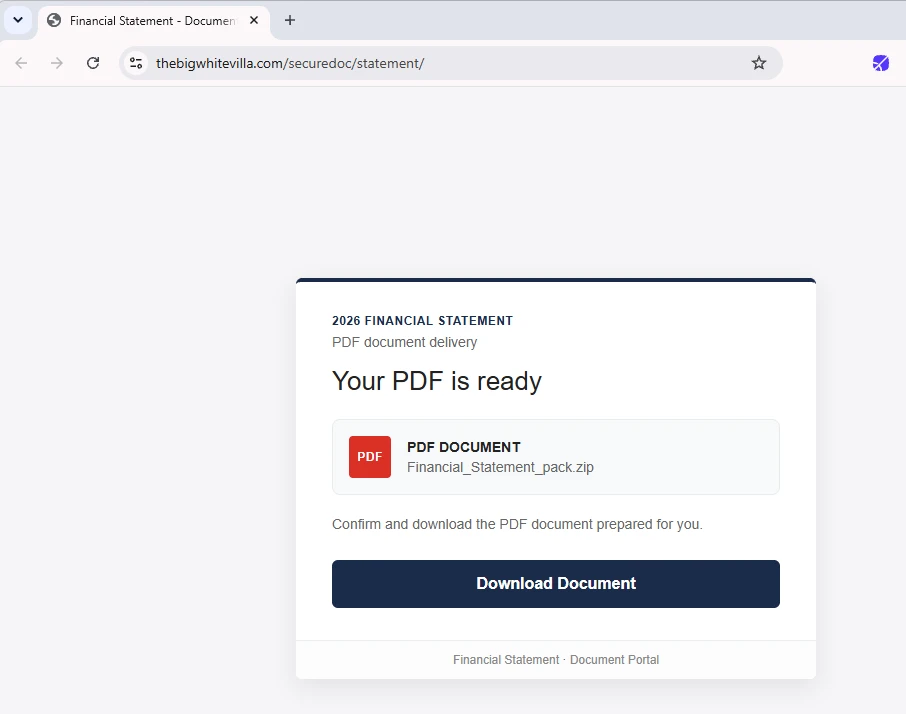
The landing page. The link opened a fake document portal offering a “2026 Financial Statement” with a single “Download Document” button. On 15 October 2026 the page was still online.
The download. The button fetched Financial_Statement_pack.zip from an Amazon S3 bucket, since removed. Inside was not a document but an installer.

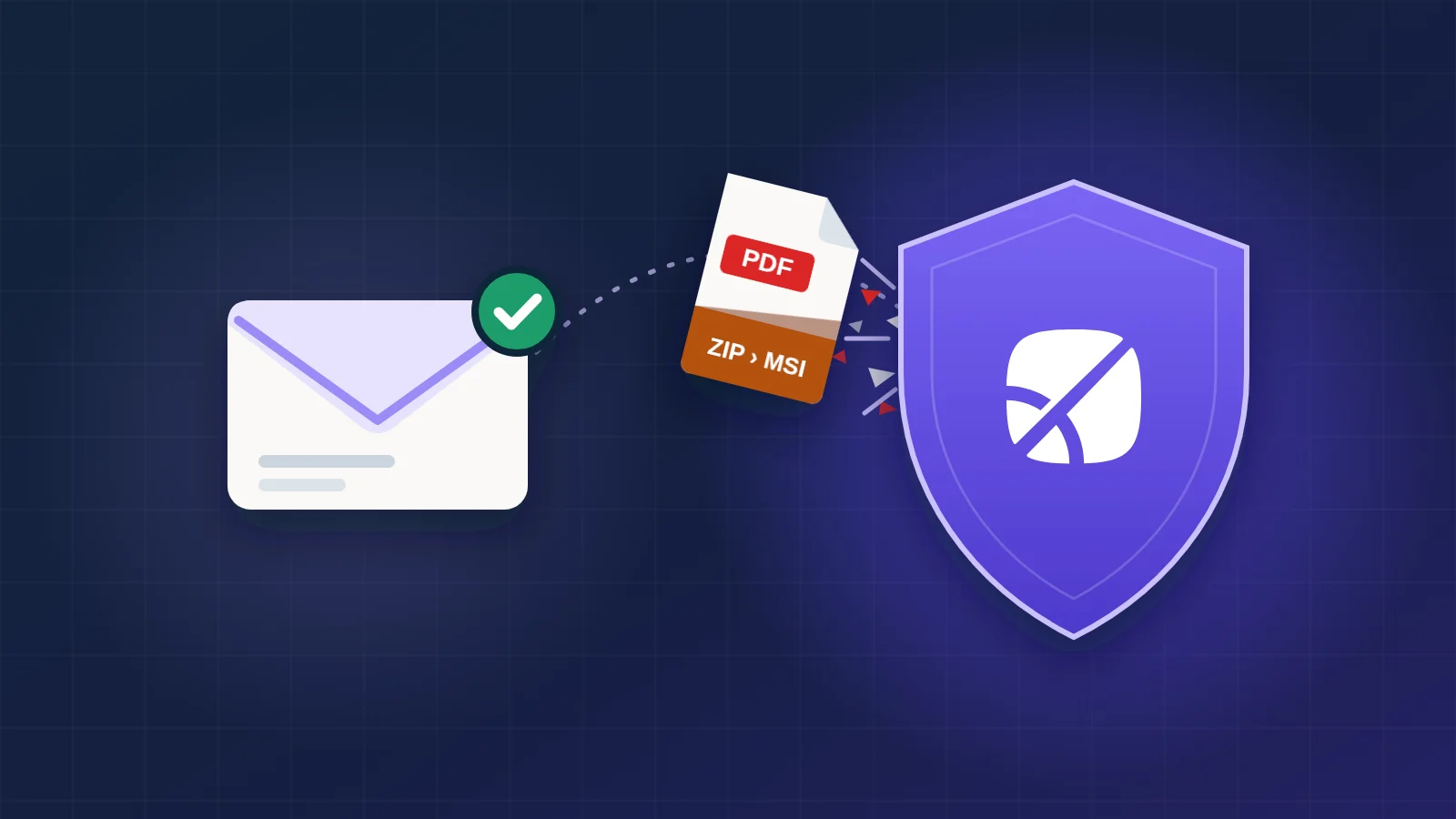
The attack chain: a hijacked mailbox, an email in BCC to the company's contacts, a fake SharePoint page, then the download of a ZIP containing an MSI installer. Fency blocks the chain at the download, so the last two steps, the ScreenConnect agent and remote access, never happen.
Why the classic defences said “OK”
Each layer looked at the message and found nothing wrong, because, by its own rules, nothing was.
- The sender was real. The email left the company’s genuine mailbox, so the sender’s reputation, SPF and DKIM all checked out. There was no spoofed address to catch.
- The email itself carried nothing malicious. The danger was a link to a web page. The recipient’s email gateway delivered it, adding an “[External] :” prefix and rewriting the link through its own URL protection. Those markings came from the recipient’s side, not from the attacker.
- The payload was legitimate software. The installer is a genuine remote access product and carries a signature referencing its vendor. Antivirus may well not flag it: what’s malicious is the instance it connects to, not the program.
- The payload sat on trusted infrastructure. The archive was served from an Amazon S3 bucket. Blocking a cloud storage provider wholesale would break legitimate work, so reputation-based filters have little to go on.
- The inbox rule bought time. With every reply buried in a folder nobody opens, the account owner had no reason to suspect anything.

The email collects an OK from every classic defence: the sender is the company's real mailbox, SPF and DKIM are valid, the email gateway delivers it, and the installer is signed software that antivirus may not flag. Then the file presented as a PDF leaves the email towards the computer, and Fency stops it: not a PDF but an installer hidden in a ZIP; the download stops there.
And because the message went out in BCC, one compromised account reached many partners at once, each of them a single download away from the same trap.
- Without protection: one download away from the attacker's remote access
- With Fency: the download is blocked in the browser
One message from the hijacked mailbox, addressed to itself with the real recipients in BCC, reaches many of the company's business contacts at once. Recipients without protection are one download away from installing the attacker's remote access tool. Recipients protected by Fency had the download blocked in the browser.
The page and the payload
The landing page is plain and almost convincing. Look at it closely, though, and it gives itself away.
 345
345
- Email: The “To” field is the sender's own address: the real recipients are hidden in BCC, a sign of a mass mailing.
- Email: The “[SharePoint File]” link points to hxxps://thebigwhitevilla[.]com/securedoc/statement, a domain unrelated to Microsoft and to the company.
- Page: The address bar shows that same unrelated domain, not SharePoint or Microsoft.
- Page: The page says “PDF DOCUMENT”, but the file is Financial_Statement_pack.zip: an archive, not a PDF.
- Page: No recognisable brand: just “Financial Statement · Document Portal”.
The file is where the real story is. Financial_Statement_pack.zip contained Financial_statement.ClientSetup.msi (16.9 MB): the installer of ConnectWise ScreenConnect 26.6.6, a legitimate remote access tool, preconfigured to connect to an instance controlled by the attacker (relay instance-nh0cio-relay.screenconnect[.]com:443).
Had a recipient run it, the installer would have:
- created an “Access” session: a permanent agent the operator can connect to whenever they like, with no approval from the user;
- installed itself as a Windows service with automatic restart, active even in Safe Mode with Networking;
- on 64-bit systems, registered a credential provider and an LSA authentication package, used for remote logon;
- brought its file manager and “Backstage” shell, to move files and run commands in a session the user doesn’t see.
The installer carries a signature referencing ConnectWise, LLC (not verified in static analysis). The MSI was built on 8 September 2026, three days before the email went out: the campaign was prepared in advance.
Where the attack stopped
The recipients protected by Fency did what anyone would have done. They opened the link, reached the landing page and clicked “Download Document”.
Fency recognised the download for what it was, a ZIP archive containing an MSI installer disguised as a PDF, and blocked it before the file reached the computer. None of them could run the installer. The attacker got no remote access.
 Fency
FencyA reconstruction in a stylised browser. The address bar shows hxxps://thebigwhitevilla[.]com/securedoc/statement/. The page says "Your PDF is ready" and offers Financial_Statement_pack.zip as a "PDF document". The cursor clicks "Download Document" and the download starts; its icon changes from PDF to ZIP to MSI, revealing an installer. Fency's icon in the toolbar lights up and the download stops. Fency flies in beside the browser, points at it and shows its card: the file isn't a PDF; it was presented as a PDF document but is really Financial_statement.ClientSetup.msi, an installer hidden in a ZIP, stopped before it reached the computer. Final state: no file downloaded, no remote access; the ScreenConnect agent and remote access are struck out.
The timing matters. Before the download, nothing has touched the computer: there is only a page in a browser tab. After the installer runs, the attacker has a permanent, hidden way in, and the whole computer has to be treated as compromised. Stopping the attack at the download is stopping it at the last moment when that costs nothing.
For the people who received the email, the attack had no effect. Every earlier step had worked: the mailbox, the signature, the delivery, the convincing page. None of it mattered once the one action that would have handed over the computer, saving and opening the file, didn’t happen.
That is the point of this case. The browser is where an attack like this becomes real: where a link turns into a page and a page turns into a file. Fency works there, checking pages and downloads as they open, including files hidden inside archives, and explaining to the person what happened instead of failing silently.
Indicators of compromise and MITRE ATT&CK
For defenders who want to check their own logs. Values are defanged; don’t visit them.
| Type | Value |
|---|---|
| Subject | Shared file for review. |
| Lure | Fake SharePoint share, file “Statements” |
| Malicious URL | hxxps://thebigwhitevilla[.]com/securedoc/statement |
| Domain | thebigwhitevilla[.]com |
| Payload URL | hxxps://amzn-files-statements[.]s3[.]us-west-2[.]amazonaws[.]com/Financial_Statement_pack.zip |
| ZIP SHA-256 | 3ea8c89412868f5877f18cb60c5e01f993cf782937b04110a261abd752dabdb6 |
| MSI SHA-256 | d8a2fe4f97353cfd1a6163fca9dfa8b7adeea85afcdd58266fe9e48204f3ae21 |
| MSI MD5 | 3e27b0c5160439ab15ecf245cfe6f0da |
| Service | ScreenConnect Client (99334895ac7461a7) |
| Relay / C2 | instance-nh0cio-relay.screenconnect[.]com:443 |
| Hiding | Inbox rule → “RSS Feeds” folder, messages marked as read |
| Technique | ID | In this case |
|---|---|---|
| Steal Web Session Cookie | T1539 | Probable initial access: reverse-proxy phishing that relayed MFA and kept the session |
| Phishing: Spearphishing Link | T1566.002 | “[SharePoint File]” link to the fake portal |
| User Execution: Malicious File | T1204.002 | The “PDF” is an MSI the user has to run |
| Remote Access Software | T1219 | ScreenConnect preconfigured to the attacker’s instance |
| Hide Artifacts: Email Hiding Rules | T1564.008 | Inbox rule hiding replies in “RSS Feeds” |
See it in your own browser
An attack like this one doesn’t need a vulnerability. It needs one person, one plausible email and one download. Book a demo and we’ll show you Fency stopping a download like this one in your own browser.