

How Fency works

One agent. One loop. Beside every user.

Fency isn't a filter with a training module bolted on. It's one agent that watches, understands, steps in, coaches, tests and reports, in a loop it runs on its own, in the browser where your people work.

Fency on guardSwiss Made Software

Six moments, one continuous loop.

What Fency sees in the browser decides when it steps in, who it coaches and how it tests them. What it learns from each test shapes the next lesson. IT sees all of it, without running any of it.

  1. 01ObservesChecks the pages people open and the files they download, right in the browser. Pages and files are analysed on their own device and stay there.
  2. 02UnderstandsRecognises look-alike sites, fake logins and risky downloads, and learns each person's habits.
  3. 03Steps inStops the risky action before the mistake happens, and says why in plain words.
  4. 04CoachesTurns that moment into a short lesson for the person who needed it.
  5. 05TestsBuilds phishing tests around each person's real habits, so practice matches the risk.
  6. 06ReportsKeeps IT or the IT partner informed: what happened, who is improving, what to approve next.

Fency at work

It steps in before the mistake, and explains why.

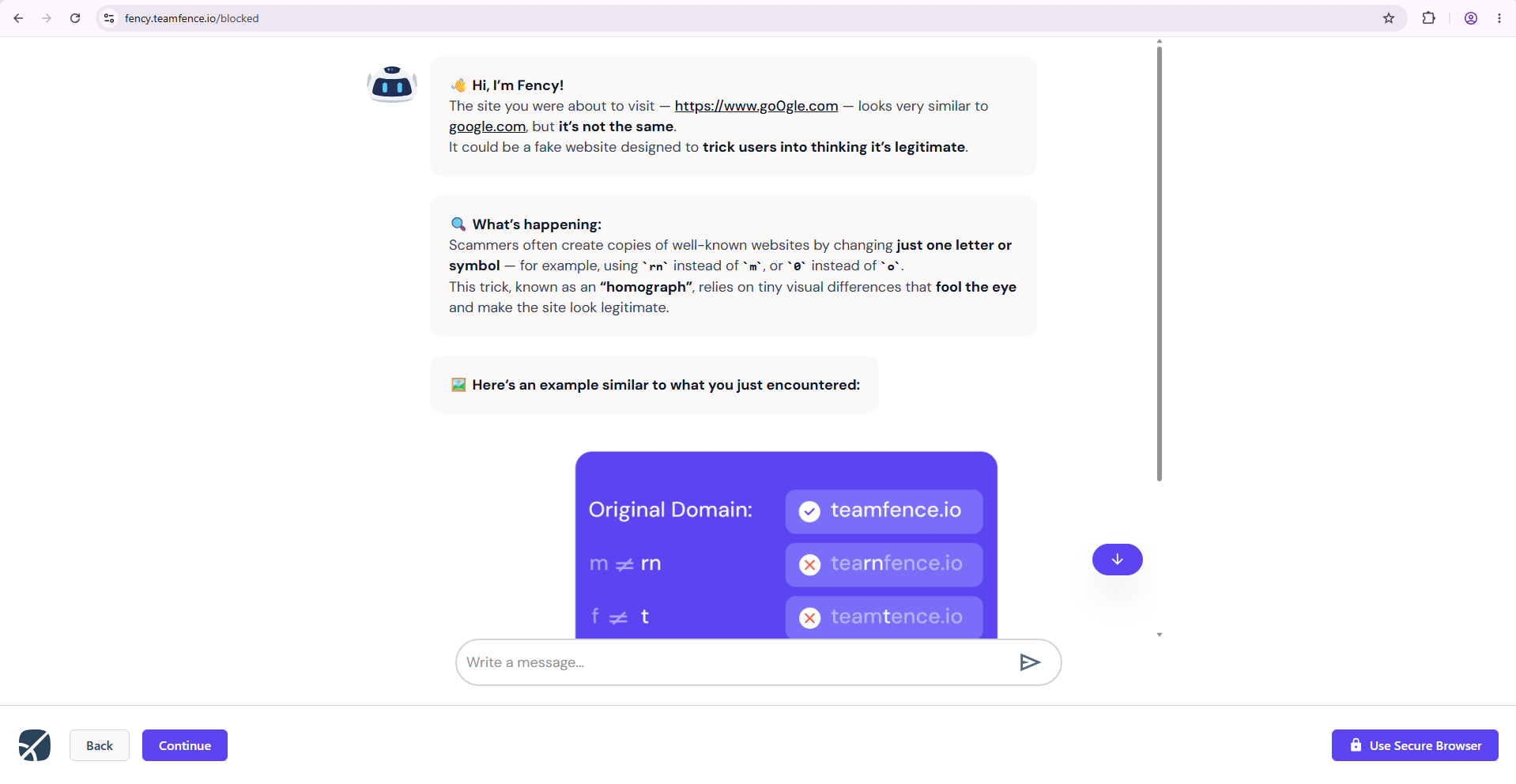
Look-alike sites, fake logins and malicious downloads are stopped as they open. Instead of a red wall, people see what was wrong and what to do next.

  • Look-alike and phishing pages blocked as they open
  • Malicious downloads stopped
  • The reason, in plain words

Steps in
Fency's guided protection page in the browser, explaining why a page was blocked

It coaches in the moment that matters.

When someone nearly falls for a trap, Fency proposes a short lesson about exactly that trap, for exactly that person, while it still means something.

  • Short lessons tied to real events
  • Assigned to the people who need them
  • Progress tracked for every user

Coaches

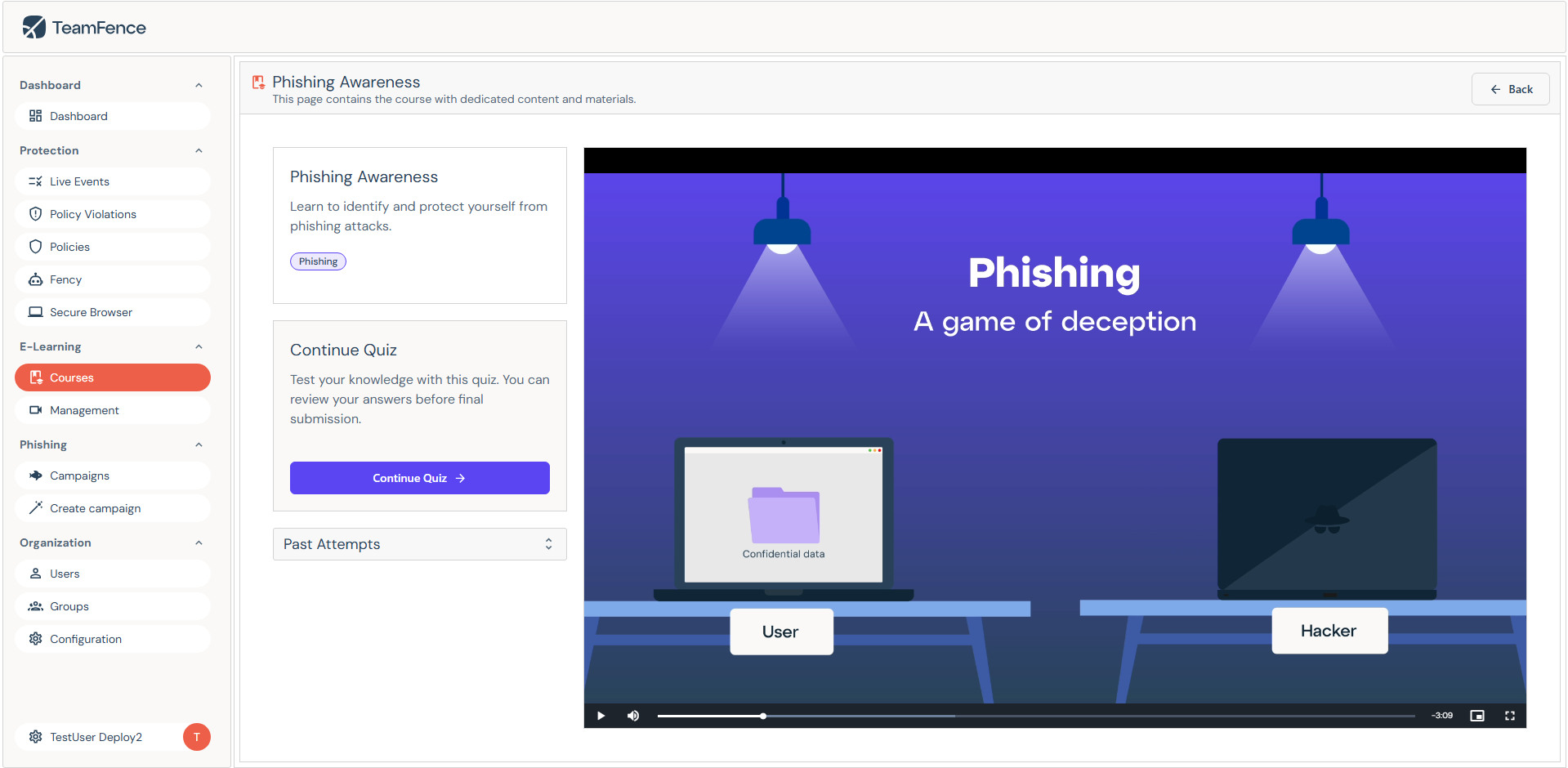
A short Fency lesson about spotting look-alike links

It keeps users sharp with tests made for them.

Phishing tests are built around each person's habits and the traps your company actually meets, so practice looks like the real thing.

  • Tests shaped by real habits and threats
  • Built by people who think like attackers
  • Every campaign approved by IT or the partner

Tests

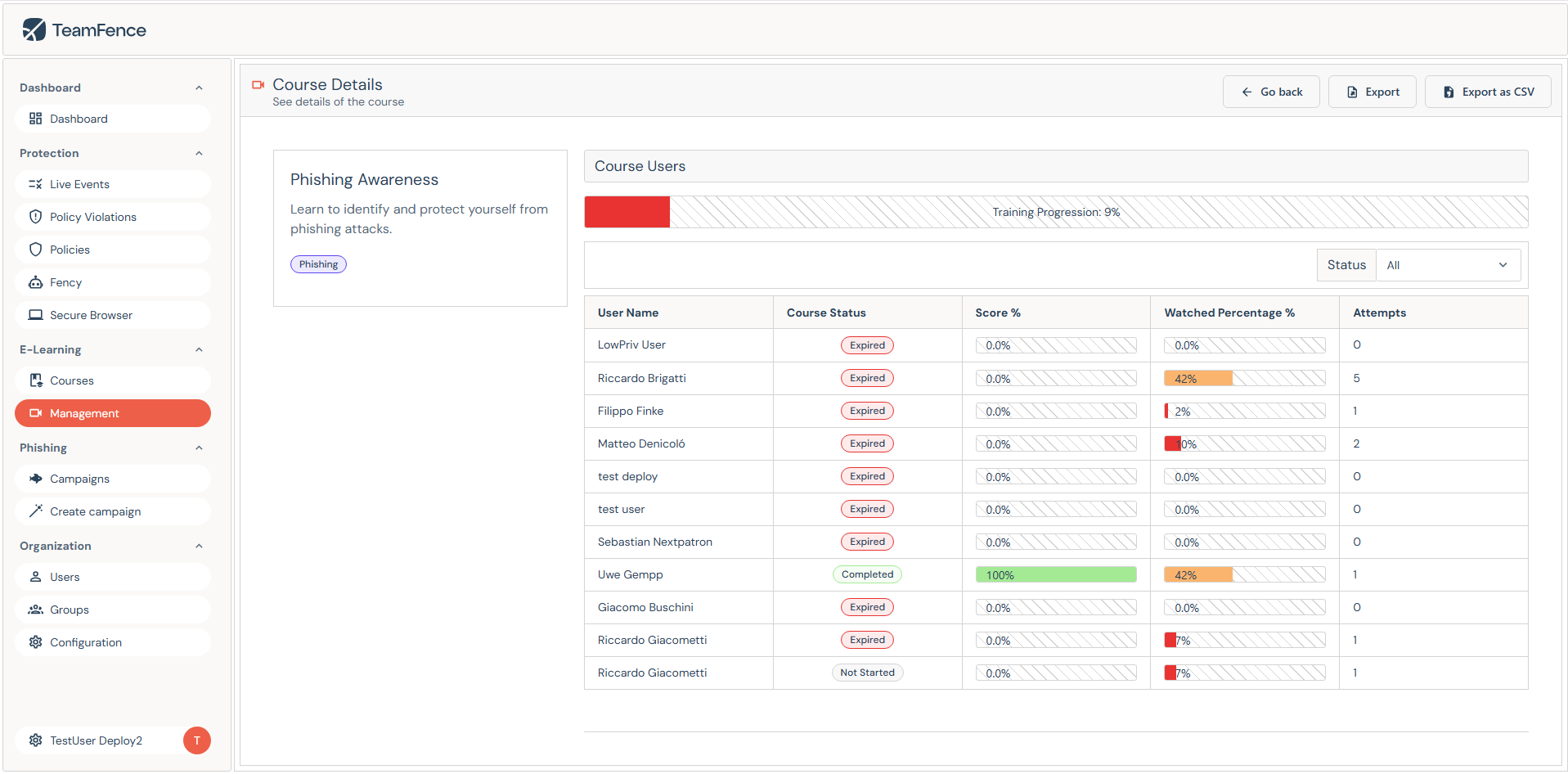
The TeamFence console listing coaching and phishing tests assigned to teams

What Fency recognises

Fency reports to IT, or to your IT partner.

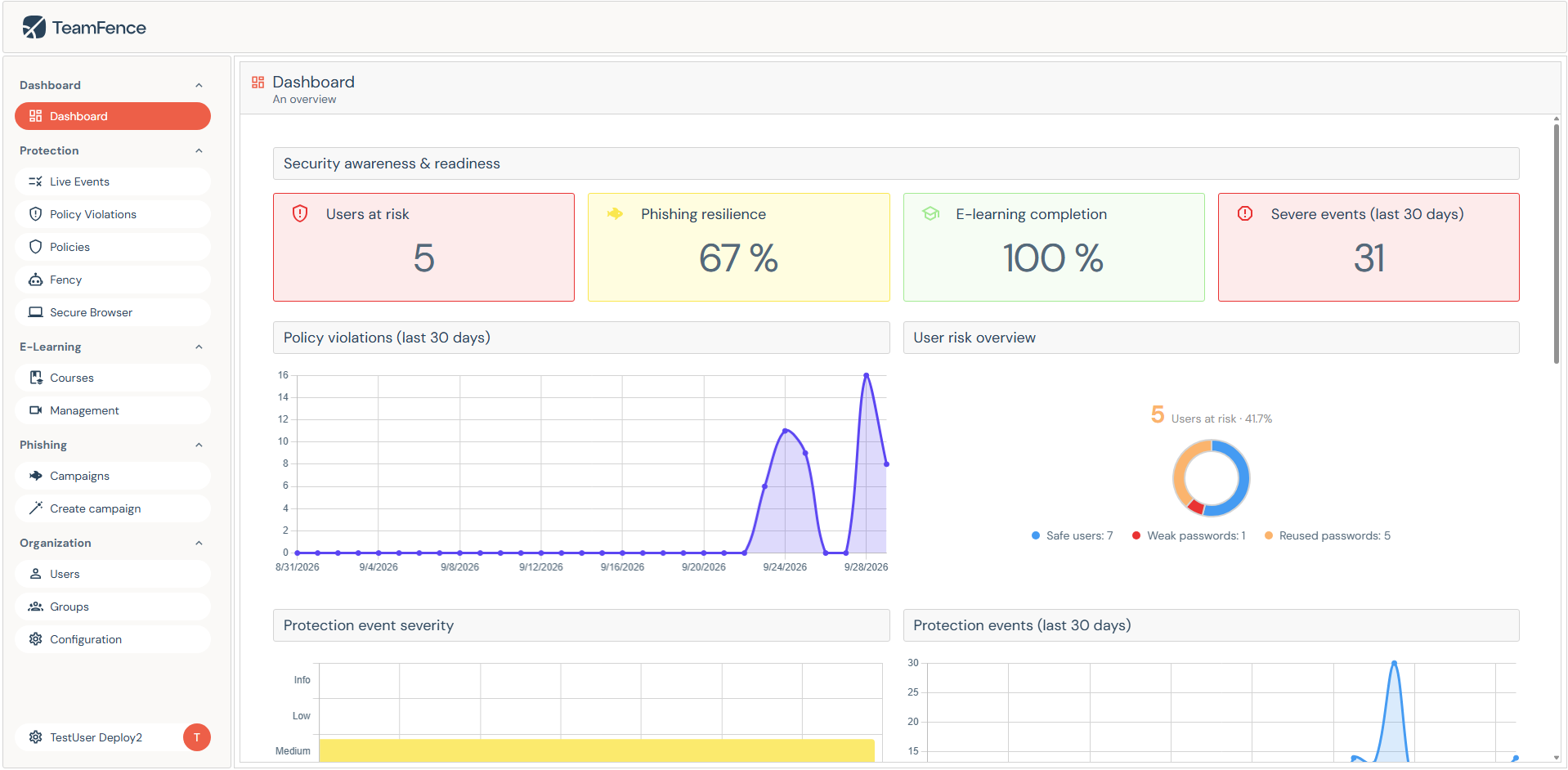
TeamFence dashboard with users at risk, phishing resilience, e-learning completion and severe events

Its workplace: the browser, on each user's device.

Fency works where the decisions happen: in Chrome, Edge, Firefox and Brave, with Safari coming soon, and analyses pages and downloads right there, on the device. What people see and type stays on it, and it never reads mailboxes or chats.

Up and running fast.

A browser extension, no infrastructure. Fency is deployed like any managed extension, then takes it from there.

  1. 01

    Deploy the extension

    IT or your IT partner force-installs Fency on managed browsers through Google Workspace or Microsoft Intune, and activates the users. Fency never installs itself.

  2. 02

    Fency introduces itself

    Once installed, Fency says hello to each person and walks them through their first steps. Nobody needs a training day to start.

  3. 03

    Add your rules, if you want

    Fency works on its own from day one. If you'd like house rules for what gets blocked, warned about or allowed, set them once in the console and Fency applies them from then on.

  4. 04

    Allow tests through, once

    A one-time setting in Microsoft 365 or Google Workspace lets Fency's phishing tests reach people's inboxes. No mail servers or domains to run.

What Fency learns next.

On the roadmap. Ask us where each one stands.

See the loop running.

A walkthrough in your own browser: Fency stepping in, coaching, testing, and the report IT gets at the end of the week.