Threat analysis
Fake ChatGPT, real trojan: three places Fency steps in
A search ad, a fake Custom GPT and a Google Sites “backup domain” led people to paste a command that installed a remote access trojan. Fency would have stepped in three times.
Riccardo Brigatti ·
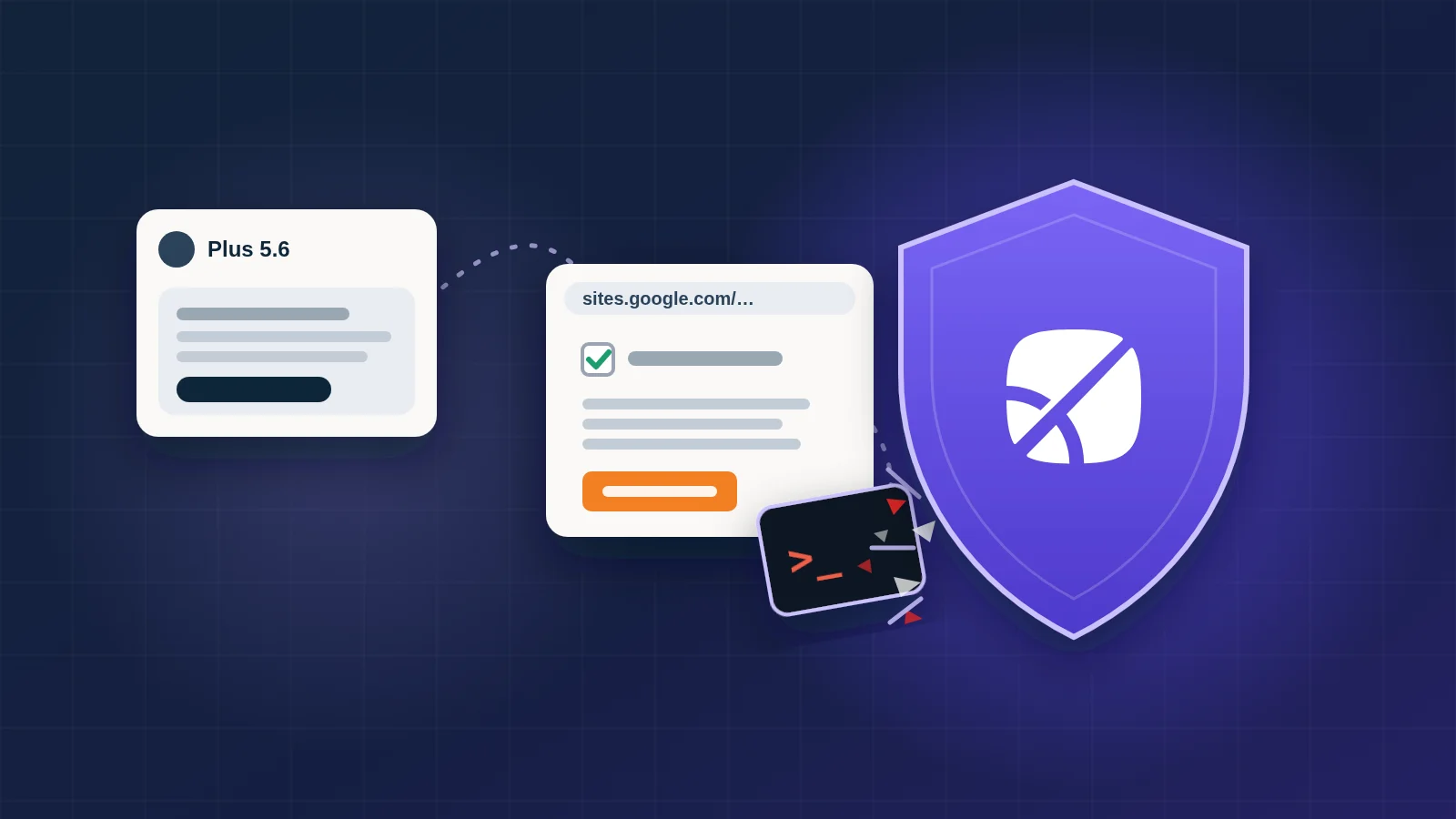
Someone searches for “chatgpt”. The first result is a sponsored one, and it opens a real page on chatgpt.com: a chat called “Plus 5.6”, built to look like a ChatGPT model. Whatever you type, it answers with the same notice: the service has limited availability on the primary domain, so please continue on the backup domain.
The backup domain is a page on Google Sites. It shows a human check, with ChatGPT and Cloudflare branding, and asks you to copy a command and paste it into your Terminal. The ones who did ended up with a remote access trojan on their computer.
The campaign was documented by the security firm Huntress, whose team responded to at least 40 incidents linked to it. Their analysis covers every stage of the malware. Here we look at it from the other side: the three moments, all in the browser, where the attack depended on the person, and where Fency would have stepped in.
The attack, step by step
The ad. Victims searched for “chatgpt” and clicked a sponsored result. It led to a Custom GPT on chatgpt.com, a real address on a real service. Anyone can publish a Custom GPT; this one was titled “Plus 5.6” and listed as made by a “community builder”.
The fake GPT. Every message got the same reply, a “Service Availability Notice”: the service was “experiencing limited availability on the primary domain”, so users should upgrade to Plus or “continue using the service through our backup domain”.
The Google Sites page. The backup domain was a page on sites.google.com, presented as a Cloudflare human check. Its instruction: copy a command and paste it into Terminal. This technique is known as ClickFix: the victim runs the attacker’s code with their own hands.
The command. Pasted and run, it started PowerShell with its execution policy bypassed, downloaded a script from a server addressed only by an IP number, written in decimal form so it doesn’t look like an address, and ran it.
The installer. The script silently installed an MSI that presented itself as “Advanced Printer Configuration Reader”, hidden from the list of installed programs. It started a legitimate program signed by Canon, which loaded a tampered library. The next stage was hidden inside an audio file that starts as a real recording.
The trojan. The final payload is a remote access trojan: remote desktop, camera, microphone and system audio, support for 17 browsers, a file manager, and the ability to download and run more malware. It sets itself to start with Windows twice over, and a script recreates either entry if it’s deleted. In at least one incident, Microsoft Defender quarantined the installer, but only after it had already run.

The attack chain: a sponsored search result for “chatgpt” leads to a fake Custom GPT called “Plus 5.6” on chatgpt.com, which points to a “backup domain” on Google Sites. Fency would have warned the person when they clicked the sponsored result. There, a fake CAPTCHA asks the person to paste a command into their Terminal; the command installs an MSI that uses a legitimately signed program to load a remote access trojan. It would have warned them again on the Google Sites page, and blocked the command at the clipboard, so the last two steps never happen.
Why it works
Every step borrows trust from a name people know.
- The ad comes from a search engine, and leads to chatgpt.com.
- The GPT is hosted by OpenAI itself. Its name, “Plus 5.6”, reads like a ChatGPT model.
- The backup domain is on sites.google.com. Filters that judge a link by its domain see Google.
- The check looks like Cloudflare’s, a page people meet every day and click through without thinking.
- The program that loads the malware carries a valid signature from a well-known vendor.
Nothing in that list is a suspicious domain. What gives the attack away is what the pages ask people to do.
Where Fency steps in, first: the sponsored result
The attack starts with an ad. Sponsored results sit at the top of the page because someone paid for them, and anyone can pay: attackers buy ads for the names people search most, and the ad can point to a perfectly real address, as this one did.
Whenever someone clicks a sponsored result on Google or Bing, Fency warns them automatically that it’s an ad and could be a dangerous result, so they arrive on the next page already on their guard.

 Fency
FencyA reconstruction in a stylised browser. A search for “chatgpt” shows a sponsored result at the top, “ChatGPT Plus 5.6: try the new model”, above the normal results. The person clicks it. Fency's icon lights up; Fency flies in beside the browser and shows its card: you clicked a sponsored result; it's at the top because someone paid for it, and that someone could be an attacker, even if the link looks right; ads can be dangerous, so be careful with what the next pages ask you to do.
Where Fency steps in, second: the Google Sites page
Google Sites lets anyone build a page under sites.google.com. The address carries Google’s name, but the content is whatever the author put there. That’s why attackers like it: the domain is trusted, the page isn’t.
Fency always flags sites.google.com. When a page opens there, it tells the person, in plain words, that what they’re about to see isn’t made by Google: it’s a third party’s page, and its instructions deserve the same caution as a stranger’s.
A reconstruction in a stylised browser. A Custom GPT called “Plus 5.6”, by a community builder, answers with a “Service Availability Notice” and a button to continue on a “backup domain”. The click opens a page on sites[.]google[.]com that starts a fake human check. Fency's icon lights up; Fency flies in beside the browser and shows its card: this page isn't made by Google; the address says sites.google.com but the content is by a third party; anyone can publish a page on Google Sites, so don't follow its instructions.
In this attack, that warning lands exactly when it matters: right after the “backup domain” link, before the fake check asks for anything.
Where Fency steps in, third: the clipboard
ClickFix needs one thing to work: a command that goes from the page to the person’s clipboard, and from the clipboard into Terminal.
Fency watches that passage. It intercepts what web pages write to the clipboard, so it sees the command the moment the page tries to copy it. It recognises commands that have no business coming from a web page, such as PowerShell started with its protections turned off to download and run a script, and it stops them before they reach the clipboard. Then it explains what happened: this isn’t a check, it’s a command, and no real verification asks you to paste anything into Terminal.
A reconstruction in a stylised browser. On the Google Sites page, a fake check asks the person to open Terminal, paste a command and press Enter, with a “Copy command” button. When the page tries to write the command to the clipboard, Fency intercepts it: nothing is copied. Fency's card explains that it isn't a check but a command, which would start PowerShell, skip its safety policy, download a script from a bare IP address and run it; no real verification asks you to paste anything into Terminal. Final state: nothing to paste, no remote access trojan.
With nothing on the clipboard, there’s nothing to paste. The installer never runs, the trojan never arrives.
Three chances, all before anything runs
Look at where the defences in this story acted. The antivirus that quarantined the installer did its job, after the installer had run. Detection on the computer starts once something is already on the computer.
All three of Fency’s moments come earlier, while the attack is still just a web page: at the ad that starts it, at the page that isn’t what its address suggests, and at the command it tries to hand over. The first two put the person on guard; the third stops the attack even if they aren’t.
And because Fency explains each time what it saw, the next fake check is easier to spot, with or without Fency there.
Indicators of compromise
For defenders who want to check their own logs. Values are defanged; don’t visit them.
| Type | Value |
|---|---|
| Custom GPT | hxxps://chatgpt[.]com/g/g-6ab6ba039440819185ed491740b11cf8-plus-5-6 |
| Google Sites page | hxxps://sites[.]google[.]com/view/antibot172881 |
| Google Sites page | hxxps://sites[.]google[.]com/view/antibot381122/ |
| Domain | gptverification[.]com |
| Payload server | 96.62.224[.]81 (also written as the decimal 1614733393) |
| Related server | 45.140.205[.]28 |
| MSI | ISOSimple.msi · SHA-256 6761aad48a3f987238994d92bca97e4b8550e0150607bd67b47b1b6366a371fc |
| Malicious DLL | rdCore.dll · SHA-256 b77575413c0f97eaf31e4a44c884c1ecdc0049ec89916ceb0bf3aaaedc0442fe |
| Encrypted archive | monitor.raw · SHA-256 e614b7d5a7a363fb1b355a87e2e8d9e8a05bbbca08f2cee3d606bdb5015ac53b |
| Install path | %LOCALAPPDATA%\Programs\Advanced Printer Configuration Reader\ |
| Persistence | Run value and scheduled task named Canon Configuration Reader (a second wave used Stardock DeElevation Tool) |
The signed programs abused here are legitimate and shouldn’t be blocked across the board; Huntress’s analysis has the full list of indicators.
See it in your own browser
This attack never exploited a vulnerability. It needed a search, a plausible page and one paste. Book a demo and we’ll show you Fency warning on a sponsored result and on a Google Sites page, and stopping a ClickFix command, in your own browser.